TESO — San Pedro
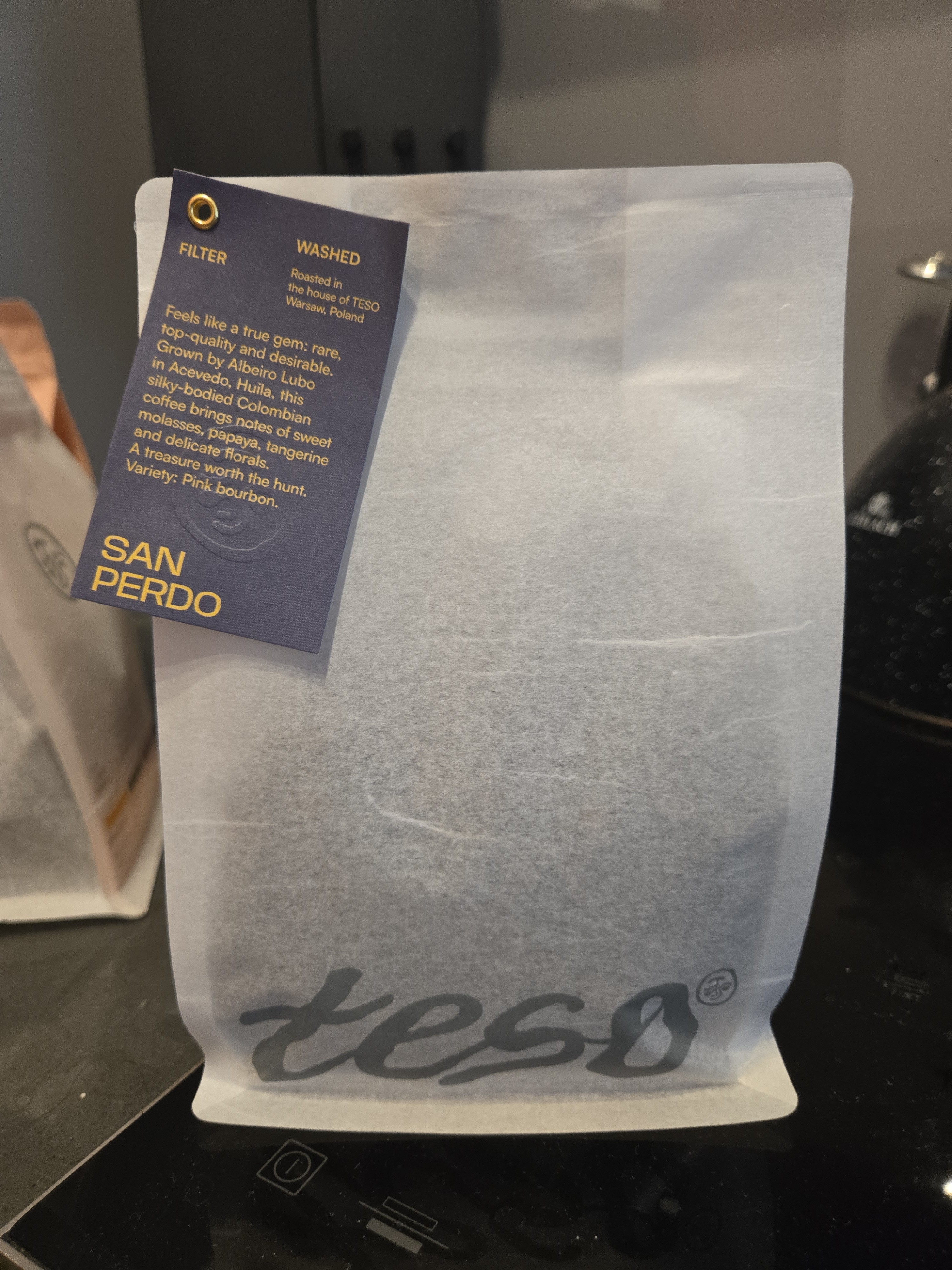
Colombia · Acevedo, Huila · Pink Bourbon · washed · light roast
✅ dialed recipe
xBloom recipe
💧 Rinse the paper filter first — seat it in the Omni dripper, pop the dripper off the machine, rinse under the tap in cold water, tip the water out, then re-attach and brew. Washes out any papery taste.
Pours
- 1Bloom45 ml
- 2Pour 170 ml
- 3Pour 270 ml
- 4Pour 371 ml
⬇ Download this recipe (.yaml) for the xBloom CLI
Notes: molasses · papaya · tangerine · delicate florals
Washed Colombian Pink Bourbon — sweet, floral, clean. Researched (no published xBloom recipe): finer, hotter and high RPM to pull the molasses and tangerine; temperature steps 95 → 93 °C across the four pours for a smooth finish. Confirmed 2026-07-05 — balanced, nailed it first try. Keeper as-is.
Off? one change at a time: Sour/muted → finer (60→57) or 96 °C; drink it hot. Bitter/drying → coarser (60→62) or 92–93 °C.
Iced — flash brew (over ice)
🧪 starting recipe — being dialed
Pours
- 1Bloom45 ml
- 2Pour 2115 ml
⬇ Download this recipe (.yaml) for the xBloom CLI
Japanese flash brew: ~95 g ice in the carafe, brew the 1:10 concentrate (160 ml) onto it — locks in this Pink Bourbon's molasses, papaya and tangerine. Grind a touch finer than the hot recipe (60 → 55), high RPM. Draft — dial after the first pour.
Roasted by TESO
A Warsaw roaster with a clean, against-the-trend style — very light roasts, mostly washed coffees, and no anaerobics or co-ferments: a terroir-forward cup over trendy fermented lots.
Using these recipes with the xBloom CLI
Each recipe above downloads in the format used by the open-source xbloom-ble CLI (pip install xbloom-ble) — unofficial Bluetooth control for the xBloom Studio, with a terminal UI and a live brew graph. By default xbloom brew loads a recipe onto the machine and you approve it on the device; pass --start to brew remotely instead.
xbloom brew teso-san-pedro.yaml           # load onto the machine (approve on-device)
xbloom brew https://xbloom.lodywgumce.tv/r/teso-san-pedro.yaml   # …or straight from its URL
xbloom tui                       # …or drive it all from the terminal UI